Salesforce and FTP/S Integration
Improve operations across your departments and derive the best value out of your business data
- Integrate
Features
-
In memory data transfer Data transfer from Cloud applications to FTP servers often requires additional security considerations, especially in a highly regulated industry. Our unique in-memory approach helps you achieve compliance with regulations in such cases.
-
Store and forward data transfer also supported DBSync supports “store and forward” file transfer in addition to the in memory transfer, which can be used if needed.
-
Post-processing operations DBSync provides post-processing capabilities such as moving processed files into another folder, deleting them etc. after the data transfer.
-
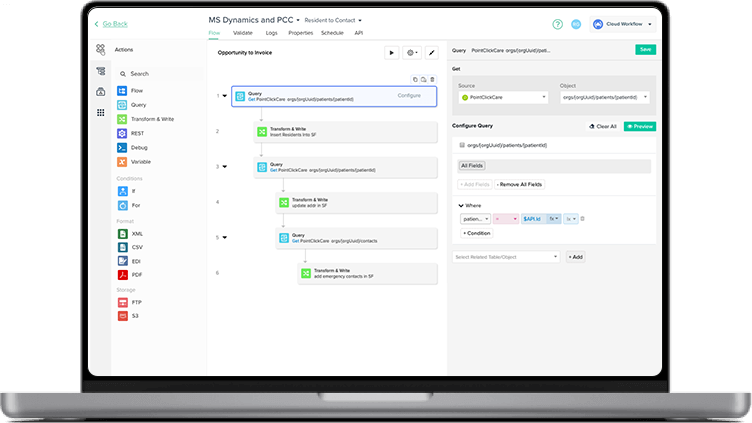
Different ways to run the integration A process can be run in two different ways: manually or via the scheduler, that will automate the data transfer process.
Benefits
-
Adopt Salesforce without disrupting your existing FTP/S based operations DBSync’s Salesforce - FTP/S integration allows you to leverage Salesforce by making the data accessible to all your stakeholders via FTP/S.
-
Fulfil your regulatory compliance Our in-memory based integration helps you adhere to industry regulations regarding data storage.
-
Maximum Value Perform synchronizations as frequently as you want, with no per user licensing and a simple pricing model.
-
Zero Administration The synchronization process is fully automated and can be scheduled for any desired time.
-
Keep you data secure FTP Secure (FTP/S) compatibility and encrypted credentials keeps all data transfers secure.
Salesforce and FTP/S Integration On-Demand Demos
See DBSync in Action
Ready to streamline your Salesforce operations by connecting it with FTP/S and other key apps? We help you integrate data, automate workflows, and ensure reliable replication for better efficiency and decision-making.

Effortless Integration
Connect Salesforce with your preferred apps and databases for seamless data flow.

Automated Workflows
Simplify tasks by automating data transfer to and from FTP/S servers.

Reliable Data Replication
Replicate Salesforce data securely with minimal delay.

Continuous Sync
Keep data synchronized bi-directionally across Salesforce, FTP/S, and other systems.
FAQs
Quick answers to questions you may have. Can't find what you're looking for? Check out our full documentation.
We support XML and delimited text formats. All major delimiter based files such as comma, pipes, tab etc are supported.
The on-premise version of the connector can do the transfer through a VPN.
We support both active and passive modes making the connector ideal even for legacy systems.
No, but DBSync Cloud Replication is an excellent tool for bi-directional transfer of attachments between Salesforce and FTP servers
All our connector credentials are encrypted. We also support multiple secure protocols such as SSH File Transfer Protocol (SFTP), FTPS ( FTP Secure), FTP over Secure Sockets Layer (SSL) etc.
We are compatible with Salesforce Enterprise, Unlimited, Developer and Professional(API enabled).
There is no hard limit on the data size. But we recommend using the on-premise version to transferring very large data to avoid network latency.
Yes, by use of Regular Expression the file name and directory of storage can be controlled.
Yes, by use of Regular Expression the file name and directory of storage can be controlled.
Incremental data transfer is supported by tracking the last successful transfer and new data can be appended to an existing file.
There is no limit on the number or frequency of data transfers provided the network latency is low.
Definitely, 14-day free trial is available after completing the registration process

Get started
What to learn how we can help automate your business in less than an hour?
Contact Integration Expert
Questions about our product, pricing, or offerings? Fill in the form below and we will contact you. We endeavor to answer all inquiries within 24 hours on business days.